What to Replace First in an Aging Network: Cabling or Switches?
When an aging network starts misbehaving, the question often sounds straightforward: should you replace the cabling or the switches first? In practice, the answer depends on evidence, risk and what the network needs to support next. Replacing the wrong layer can burn budget without fixing the fault—or leave the business with shiny new equipment connected by an unreliable, poorly documented mess.
After years of office fit-outs, industrial and corporate network segmentation, and incident-response support, I’ve learned to take the physical layer seriously. A failed link, an unlabelled patch panel or a mystery switch in a ceiling space can cause an outage, conceal what is happening on the network, and complicate security investigations. Cabling is not “just plumbing”. It is part of the security and availability story.
The practical rule is this: diagnose both layers before you commit, then replace the component that presents the clearest risk or is blocking the required design. If cabling is unsafe, out of specification or demonstrably faulty, fix it first. If links are healthy but the switches cannot provide the controls you need, prioritise managed switching. Often, the right answer is a staged infrastructure refresh that addresses the weakest layer first and plans the other in.
Start with the network you have, not the equipment catalogue
You ever wonder why before choosing between cable and switches, establish what is actually installed. Drawings and asset records may be incomplete—especially in buildings that have seen repeated tenant changes, office moves or quick fixes. Walk the route from endpoint to patch panel to switch. Check labels, cable types, patching and any intermediate devices. Compare what you find with switch inventories and configuration backups.
Keep an eye out for clues such as damaged or sharply bent cables, improvised joins, inconsistent link speeds, ports that repeatedly flap, unapproved unmanaged switches and patch panels with no reliable labels. In industrial environments, also consider heat, dust, vibration, electrical noise and the consequences of disturbing live connections. If a link supports production, identify the owner and maintenance window before testing or moving it.
A basic baseline should include:
- Switch models, software versions, support status and configuration backups.
- Port status, speed and duplex, error counters, link flaps and PoE requirements.
- Cable categories, fibre types, route lengths, termination quality and test records.
- VLANs, trunks, access controls, spanning-tree behaviour and network diagrams.
- Business, safety and operational impact if each link or device fails.
Where a fault is suspected, use appropriate cable certification or qualification testing, not guesswork. A device showing “link up” does not prove that the installed channel meets its required performance. Likewise, error counters can point towards a physical fault, but they should be interpreted alongside configuration, endpoint capability and the wider path.
When cabling should be replaced first
Cabling usually takes priority when there is evidence that it is unsafe, non-compliant, unreliable or incapable of supporting the intended service. That could mean damaged copper, poor terminations, fibre with the wrong type or reach, links that fail testing, or routes that exceed the relevant performance limits. In older sites, the issue may be less dramatic: cable routes and patching are so poorly documented that every change risks disconnecting the wrong device.
The cabling lifecycle is longer than a switch refresh in many environments, but “it has worked for years” is not a test result. Capacity needs change. A cable that once carried a modest office connection may be unsuitable for higher speeds, modern PoE loads or a new access-point deployment. Check the entire channel—including patch leads, outlets and intermediate connections—rather than assuming the fixed cable is the only part that matters.

Physical faults can become security blind spots
A marginal connection can create intermittent outages and confusing symptoms: a camera disappears, an access point reboots, or a device falls back to a lower link speed. Those events may be treated as routine noise rather than investigated. Meanwhile, an unmanaged switch added to “get one more connection” can provide an unmonitored path around the intended port controls and asset records.
That is why physical infrastructure is part of cybersecurity, not a separate facilities concern. A poorly controlled communications cabinet, an undocumented connection or a damaged link that intermittently disconnects a monitoring device can undermine security operations. During an incident, responders need to know which endpoint is connected where and what path its traffic takes. If the cabling records are fiction, the investigation starts with uncertainty.
When replacing cabling, include remediation of the details that tend to be left behind: accurate labels at both ends, updated drawings, tested links, controlled access to cabinets and removal of abandoned or unauthorised connections. I keep a label maker in my laptop bag for a reason. Labels are not a substitute for good records, but they help prevent the next “mystery cable” from becoming someone else’s outage.
When switches should be replaced first
Prioritise switches when the cabling is known to be serviceable but the installed equipment is unsupported, unreliable or unable to meet security and operational requirements. Common warning signs include end-of-support hardware, limited visibility, insufficient port capacity, inadequate PoE, lack of resilient uplinks, weak access controls or an architecture built around a single flat network.
Segmentation depends on capable switching and correct design. Replacing switches can create the opportunity to separate user devices, servers, voice, building systems and operational technology into appropriate network zones. But a switch refresh alone does not produce effective segmentation. VLANs, routing, access-control rules, management access and monitoring must all be designed and tested together. A pile of new switches configured as one large broadcast domain is still a flat network—just a more expensive one.
Managed switching provides the visibility and control needed to operate a segmented network: for example, VLAN support, port configuration, monitoring, access controls and a consistent configuration-management approach. The exact capabilities vary by platform, so map requirements to the intended design instead of buying by brand name. Cisco is one familiar option in enterprise networks; Garland and MOXA may be relevant in particular industrial or ruggedised environments. Suitability depends on the use case, product capabilities, support model and the organisation’s operating requirements.
Security controls need a reliable path
Firewalls, endpoint detection platforms and monitoring systems are only useful when the network can reliably deliver the traffic and telemetry they depend on. Firewalls enforce policy at defined boundaries; switching and routing determine how devices reach those boundaries. Endpoint detection platforms can provide valuable host-level visibility, but they do not replace accurate network records or secure network design.
When a switch is replaced, confirm that management interfaces are protected, default credentials are removed, software is supported, and configurations are backed up. Define how administrators connect, how logs and alerts are collected, and how unauthorised devices are detected or handled. If the new design includes access controls or segmentation, test expected traffic and denied traffic before moving production devices.
How the two layers affect each other
Cabling and switches are not independent choices. New switches may expose an old cabling problem by enabling higher speeds that marginal links cannot sustain. Conversely, replacing cabling without addressing switches may leave the organisation with better pathways but no practical way to segment or monitor the network.
For example, a switch upgrade may require new fibre uplinks between cabinets. A wireless refresh may need additional PoE capacity and cabling to access-point locations. A segmentation project may require new switch placement or additional fibres between zones. Treat these as connected design decisions, not separate procurement lines.
Use the following table as a starting point. It is not a substitute for testing, but it can help set priorities.
Evidence or requirement Likely first priority Why Links fail certification, show physical damage or repeatedly flap Cabling investigation and remediation New switching cannot make a faulty physical channel reliable. Switches are unsupported or cannot provide required security controls Managed switching The network may be unable to support the required visibility, segmentation or resilience. Both layers are undocumented and faults are frequent Assessment, then phased refresh Replacing equipment without a verified baseline risks repeating the same problems. A new service needs higher speeds, PoE or separate network zones Joint design of cabling and switching The service depends on both a suitable physical path and capable network equipment.What does ACSC guidance mean for the physical layer?
Australian Cyber Security Centre (ACSC) guidance is concerned with reducing cyber risk through measures such as secure configuration, access control, network monitoring and appropriate architecture. Those controls depend on a network that can be understood and operated. Guidance cannot compensate for an unknown switch, a mislabelled patch panel or a network path that bypasses the intended security boundary.
In other words, ACSC guidance assumes solid network foundations. The exact guidance relevant to an organisation depends on its obligations, systems and risk profile, so consult the current ACSC publications and applicable requirements rather than treating a single checklist as universal. But the operational lesson is straightforward: keep an accurate inventory, control access to infrastructure, use supported equipment, document changes and ensure the design can enforce the intended security policy.
Physical faults can also reduce confidence in security telemetry. If a monitoring sensor, camera, industrial controller or endpoint is intermittently disconnected, the absence of alerts may not mean the absence of activity. Network availability and security visibility are linked. A fault may not be an attack, but the organisation still needs to distinguish between the two.
A practical order of work
For most organisations, the safest route is a short, evidence-led programme rather than a rushed “cabling versus switches” decision.
- Establish criticality. Identify which links and devices support essential business, safety or operational functions. Agree who can approve outages and when work can happen.
- Build and verify the inventory. Map cabinets, switches, endpoints, uplinks and cable routes. Record unknowns as unknowns; do not make the diagram look complete by guessing.
- Test suspected physical paths. Check the relevant copper or fibre channel with suitable equipment. Resolve faults and replace cables that are unsafe, failed or unsuitable for the required service.
- Assess switch capability and support. Compare the current estate against requirements for managed switching, segmentation, monitoring, resilience and vendor support.
- Design the target state. Define zones, traffic flows, access controls, management paths, monitoring and failover. Include firewalls and endpoint detection platforms in the design, but do not assume either can fix a weak foundation.
- Refresh in stages and test. Pilot changes where possible, keep rollback plans, validate connectivity and security policy, then update labels, diagrams and configuration backups.
Above all, ask the question I ask on every project: what happens at 2am when this fails? Is there a supported device to call, a tested spare, a clear diagram, a known-good configuration and someone who can identify the affected cable without tracing it by torchlight? If not, include operational readiness in the refresh—not as an afterthought.
So, what should you replace first?
Replace cabling first when testing or inspection shows that the physical path is faulty, unsafe, undocumented to the point of risk, or inadequate for the service you need. Replace switches first when the links are sound but the equipment is unsupported, unreliable or incapable of delivering required security controls and segmentation.
If both are old, plan both. You may be able to stage the https://stateofseo.com/how-to-pick-patch-leads-that-do-not-cause-packet-loss/ work: remediate the worst cabling faults immediately, then Informative post introduce managed switching cabinet by cabinet, or replace switching first where unsupported equipment creates the greatest security exposure while scheduling cable work around operational constraints. The sequence should follow evidence and risk, not whichever supplier’s catalogue is on the desk.
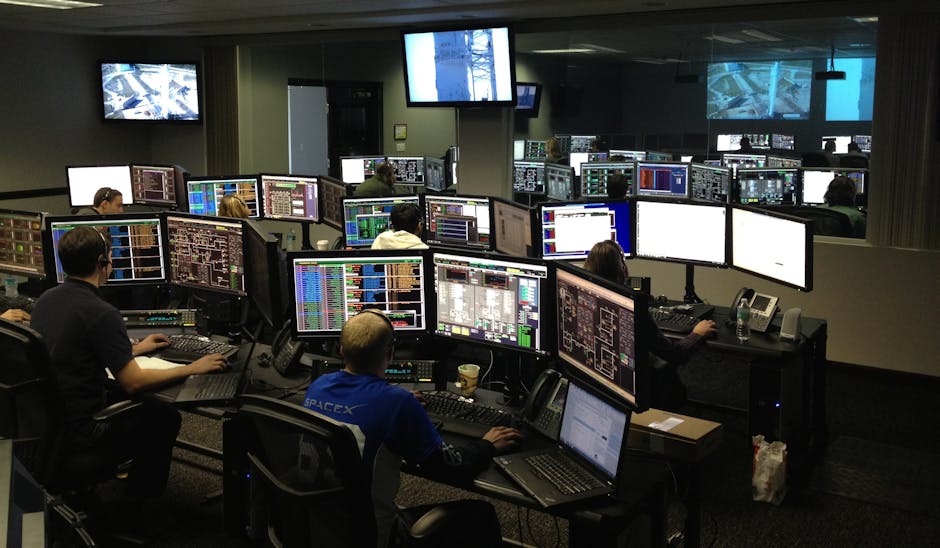
A sound infrastructure refresh makes the physical layer visible, maintainable and secure. It also leaves the organisation better placed to segment correctly, investigate incidents and keep critical services online. New hardware is useful; a network people can understand, support and trust is better.